Is Apple Fitness+ Worth It? What You Get While Its Future Is "Under Review"
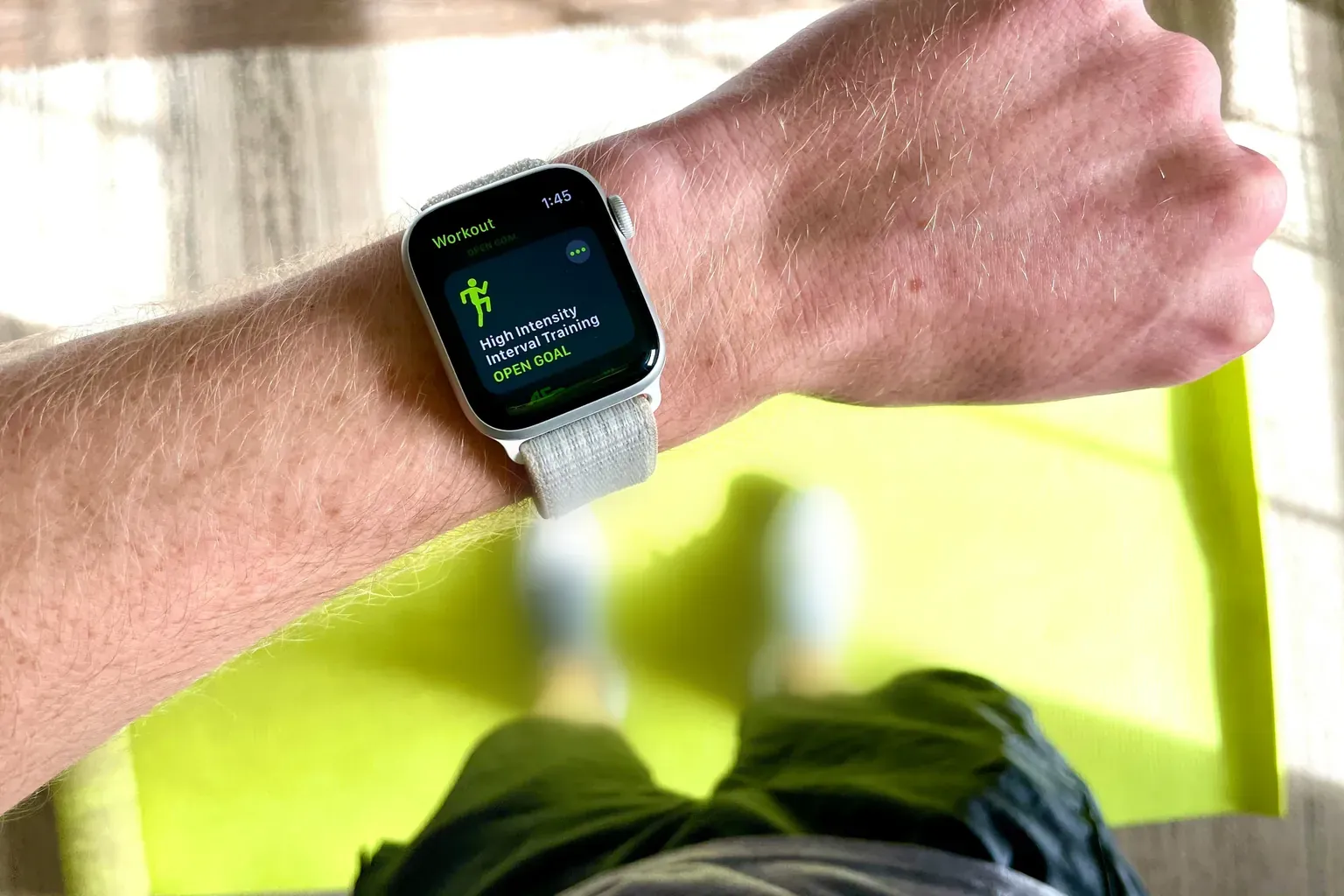
Yes, if you own an Apple Watch and will use the classes every week. Apple Fitness+ costs $9.99 a month or $79.99 a year in the US, works with just an iPhone, and is included in Apple One Premier. Its future is under review at Apple, so start with a free trial, pay monthly at first, and switch to yearly only once you know you'll keep it past 8 months.
Is Apple Fitness+ worth it?
For Apple Watch owners who'd use it weekly, yes. Start with a free trial, then pay $9.99 a month until you're sure. Switch to the $79.99 yearly plan only if you'll keep it more than 8 months. If you're on Apple One Premier, it's already included.
Worth trying: it's built for you.
It works, but a free app may do.
Included in Premier only.
Gym Strength announced, still in beta.
Works with Apple TV and AirPlay.
Not supported. Try Peloton or Nike.
What's Changed at Apple Fitness+ in 2026
The price hasn't moved since launch: $9.99 a month or $79.99 a year. What's new is uncertainty. Bloomberg's Mark Gurman says the service is "under review", Apple cut a few Fitness+ jobs in September, and in November Apple announced Gym Strength, a weekly-adjusting lifting planner that is still in beta.
Apple launched Fitness+ in 2020 at $9.99 a month or $79.99 a year, as TechCrunch reported at the time, and Apple's page still lists the same prices in November 2026. The bundle around it did change: Apple raised Apple One Premier, the plan that includes Fitness+, from $37.95 to $39.95 a month in July, MacRumors reported.
In February, MacRumors reported Gurman's view that the future of Fitness+ remains "under review". His guess, not a report, is that Apple will eventually merge it with the Health app, perhaps as a combined subscription. In September, the5krunner relayed Gurman's report that Apple cut "a handful of roles" on the audio team behind Time to Walk and Time to Run. Gurman doesn't expect Apple to shut Fitness+ down, and he thinks a move into Health is more likely in 2027 than sooner.
Apple is still adding to it. In January it launched new multi-week programs, including Make Your Fitness Comeback and Strength Basics in 3 Weeks, according to Apple's newsroom. On November 3, Apple announced Gym Strength, a new Fitness+ workout that builds a four-week strength plan from your goals, experience, schedule and equipment, then adjusts each week to what you logged the week before, MacRumors and 9to5Mac reported. It comes with a Fitness+ subscription at no extra cost. 9to5Mac says it is in beta in iOS 27.3, that dumbbells are the minimum equipment, and that an Apple Watch is optional, for logging reps and weight from your wrist. Apple hasn't given a public release date, and its Fitness+ page doesn't list Gym Strength yet.
How to read this review. Health Perk didn't test Apple Fitness+ for this article. We read Apple's own pages and attribute hands-on findings to the reviewers who reported them. The question here is a buying one: is Apple Fitness+ worth it for you, at what price, and on which plan?
Apple Fitness+ vs the Free Fitness App
The Fitness app and Activity rings are free. Fitness+ adds the video workout library, plans and on-screen metrics.
| Feature | Free Fitness app | Apple Fitness+ |
|---|---|---|
| Price | $0 | $9.99/month or $79.99/year |
| Activity rings and workout history | Yes | Yes |
| Video workouts | No | 12 workout types plus meditation, 5 to 45 minutes |
| Programs and Custom Plans | No | Yes; Custom Plans need iOS 26 |
| Live metrics on screen | No | With an Apple Watch, AirPods Pro 3, Powerbeats Pro 2 or a Bluetooth heart rate monitor |
| Watch on a TV | No | Apple TV or AirPlay |
| Family Sharing | No | Up to five family members |
| Gym Strength planner | No | Announced Nov 3; in iOS 27.3 beta |
From Apple's Fitness+ page, checked November 14, 2026. Apple says you don't need an Apple Watch: an iPhone 8 or later on iOS 16.1 or later is enough. Apple lists 12 workout types plus meditation, including strength, HIIT, yoga, Pilates, cycling, rowing, treadmill, kickboxing, dance and core.
What People Who Used Apple Fitness+ Say
Reviewers who use it a lot like the variety and Family Sharing. The common complaints are small but real: you can't skip around in a video, and warm-ups are short.
Kerrie Hughes, who reviewed Fitness+ for Woman & Home in March 2025, called it "a resounding yes" after more than a month. She credited it with adding new exercises to her routine, getting her walking more and taking the planning out of exercise, and she valued sharing one subscription with her family.
She also listed downsides. You can't scroll through a workout video, so when she accidentally left the app or lost her connection, the session restarted from the beginning. And unless you stack separate warm-up and cool-down sessions, the ones inside a workout are only a few minutes long.
Ratings are mixed overall. The Fitness app's App Store listing averages 2.9 out of 5 from about 12,000 ratings, but that covers the whole Fitness app, not only the paid service, so treat it as a rough signal.
How Much Apple Fitness+ Costs, and Which Plan to Pick
Paying monthly costs $119.88 a year. Paying yearly costs $79.99, which is the same as about 8 months of monthly billing. Apple One Premier includes it at $39.95 a month.
The safest way to start. You can stop in any month, which matters while Apple decides what Fitness+ becomes.
Saves $39.89 a year over monthly. It pays off if you'd keep Fitness+ for more than 8 months, so switch once you know you use it.
Adds Apple Music, Apple TV, Arcade, News+ and 2TB of iCloud+ for up to six people. Only worth it if you'd pay for most of those anyway.
Buying a new Apple Watch, iPhone, iPad, Apple TV, AirPods Pro 3 or Powerbeats Pro 2 can unlock 3 free months. Redeem within 3 months of setting the device up.
Apple One Individual ($21.95) and Family ($27.95) don't include Fitness+. Only Premier does, according to Apple's Apple One page. Apple says Premier saves $35 a month compared with paying for its six services separately, but that only matters if you'd use them.
Apple Fitness+ vs Peloton, Google Health Premium and Free Apps
Fitness+ is cheaper per year than Peloton App One and Google Health Premium. Nike Training Club is free, but it's a different kind of app with less tie-in to your watch.
| Option | Price | Works on | Best for |
|---|---|---|---|
| Apple Fitness+ | $79.99/year | iPhone, iPad, Apple TV; Apple Watch optional | Video classes with watch metrics on screen |
| Peloton App One | $12.99/month | iPhone, Android and more | Large class library, no Peloton equipment needed |
| Google Health Premium | $99.99/year | Fitbit and Pixel Watch | AI coach and adaptive plans |
| Nike Training Club | Free | iPhone and Android | Free guided workouts |
Prices checked November 9, 2026: Peloton App One on Peloton's app page, which also offers a 30-day free trial, and Nike Training Club, listed as free with no in-app purchases on the App Store. Fitness+ is the one Apple builds around its own watch, and that tie-in is its main advantage over the others.
If you wear a Fitbit or Pixel Watch rather than an Apple Watch, our review of whether Google Health Premium is worth it covers that subscription in the same way. And if you're buying a watch to go with Fitness+, our Apple Watch Series 12 vs Series 11 comparison covers which one to get.
Is Apple Fitness+ Worth It for You?
You wear an Apple Watch.
This is who Fitness+ is built for: your heart rate, calories and rings show on screen during each class. Try it free first, then pay monthly until you're sure.
You have an iPhone but no Apple Watch.
It still works, and AirPods Pro 3, Powerbeats Pro 2 or a Bluetooth heart rate strap can add live metrics. Without any of those, a free app like Nike Training Club may be enough.
You already pay for Apple One Premier.
Fitness+ is included, so use it. On Individual or Family, it isn't, and upgrading only makes sense if you'd also use News+ or the extra storage.
You mainly want structured strength training.
Fitness+ has strength programs now, and Gym Strength adds a weekly-adjusting plan once it leaves beta. Wait for the public release before paying for that feature.
You'd rather follow classes on a TV.
Fitness+ works on Apple TV, or by AirPlay to a compatible TV, with metrics from your watch or headphones.
Your phone is Android.
Fitness+ isn't for you: Apple lists only its own devices. Peloton's app and Nike Training Club both run on Android.
How to Try Apple Fitness+ Without Overpaying
Check for a device trial first.
If you bought a qualifying Apple device recently, Apple offers 3 free months. Redeem it within 3 months of setting the device up. It's one offer per account and per family.
Otherwise, take the 1-month trial.
New subscribers get a month free. Neither trial is available if you or your family subscribed before.
Set a reminder before the trial ends.
Apple's cancellation guide says to cancel at least 24 hours before a free trial ends if you don't want it to renew.
Go yearly only after a couple of months.
Yearly saves $39.89 but only pays off after 8 months. Paying monthly first also keeps you flexible while Apple decides the service's future.
Share it with your family.
One subscription covers up to five family members through Family Sharing, each with their own recommendations.
True or Not? 4 Myths About Apple Fitness+
You need an Apple Watch to use it.
True or not? Tap to find outHere's what the sources say
Not true. Apple says an iPhone 8 or later is enough. A watch, AirPods Pro 3, Powerbeats Pro 2 or a Bluetooth heart rate monitor adds live metrics.
It's only for beginners.
True or not? Tap to find outHere's what the sources say
Not quite. Workouts run from 5 to 45 minutes across 12 types, and the new Gym Strength planner sets reps, sets and load for gym training.
The yearly plan is always better value.
True or not? Tap to find outHere's what the sources say
Only if you keep it. The yearly price equals about 8 months of monthly billing, so if you'd stop sooner, monthly costs less.
Apple is shutting Fitness+ down.
True or not? Tap to find outHere's what the sources say
No announcement says so. Bloomberg's Mark Gurman says it's under review but doesn't expect a shutdown. He expects it to fold into the Health app, more likely in 2027.
What This Data Can't Tell You
Apple Fitness+ shows metrics from your watch or headphones during workouts, and those numbers are estimates. Our look at how accurate Apple Watch calories are found they run high. This article compares a subscription's features and prices; it doesn't judge whether guided classes change fitness or health outcomes. If you have an injury, a heart condition or are returning to exercise after illness, ask a clinician before starting a new program.